
Laptop Stand That Folds Flat: X-Frame for Desk and Backpack
In short
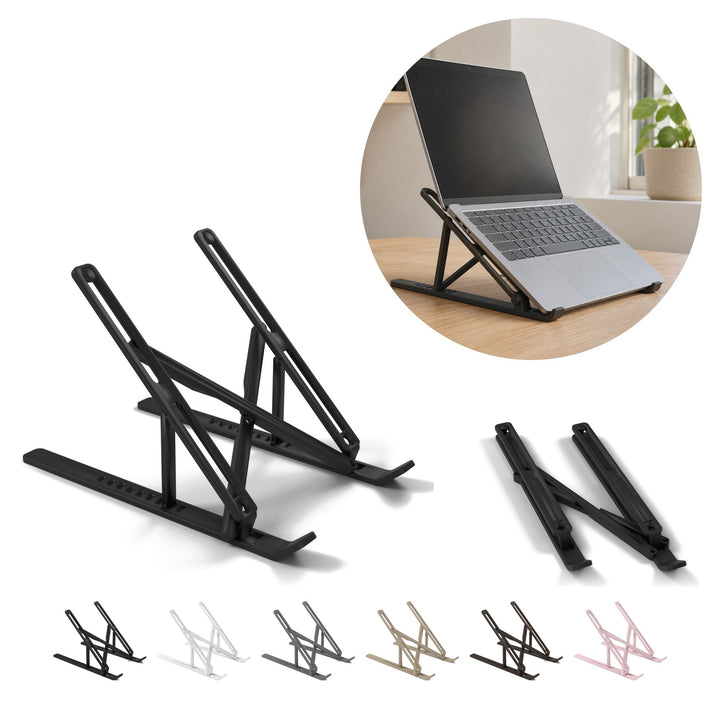
- A full stand on an X-frame: the laptop rests on two sloped arms, the back rises and the screen sits higher.
- It opens and folds without tools; folded, it lies flat and slips into a backpack next to the laptop.
- Printed in PLA and weighing 132 g: keep it away from radiators and direct sun, and put nothing on it but the laptop.
A laptop stand changes one simple thing: the screen stops sitting flat at desk level. Ours is a folding frame with two bars crossed in an X, which opens on the desk in a moment and folds flat again when you pack up.
We print it ourselves in Poland, to order, from a licensed design by Perry. Below we explain how it works, what it suits, where it falls short and when a pair of small clip-on feet is the better choice.
Why lift your laptop at all
A laptop joins the screen and keyboard in one piece. On a flat desk that means looking down at the screen, often for hours. Raise the back and the screen comes up closer to eye level, while the keyboard tilts towards you. There is also room for air underneath.
Many people find that position more comfortable at a desk, and some add a separate keyboard and mouse. We keep it modest, though: a stand is a desk accessory, not a medical product, and how you sit and how often you get up matter more.
That is also the main reason to choose a portable laptop stand over a fixed one. It goes wherever the laptop goes: the kitchen table, a shared office desk or the library.
How the foldable laptop stand works
The stand has two sides, each a flat base with a lip at the front and a sloped arm with a long slot. Two bars crossed in an X join them, and four printed pins hold the parts together, with no screws or glue.
- Open it: lift the arms. The short struts prop them from below while the X bars spread the sides apart.
- Put the laptop on: it rests on the two sloped arms with its front edge against the lips at their ends.
- Fold it: lower the arms and the two sides lie flat next to each other, ready for the backpack.
We describe one open position, so do not count on a choice of heights or angles; if you need those, this is not your stand.

Laptop stand or clip-on feet: size and fit
Unfolded, the stand measures about 27.4 × 16.7 × 17.5 cm and weighs 132 g. The offer is one stand in the colour of the chosen variant; the laptop is not included. You can choose from 6 colours: black, white, grey, beige, chocolate and pink.
In the same series we print a pair of small clip-on feet that slide onto the side edge of the laptop base near the hinge. They solve a different problem:
| Foldable stand (this guide) | Pair of clip-on feet | |
|---|---|---|
| What it is | A full frame with two bars crossed in an X | Two small one-piece feet, one per side |
| Size | About 27.4 × 16.7 × 17.5 cm unfolded | One foot 4.2 cm long |
| Weight | 132 g | 13 g for the pair |
| How the laptop sits | On two sloped arms, back raised, screen higher | Back lifted at a gentle angle |
| On the move | Folds flat and goes in the backpack | Slides on and comes off in seconds |
| Choose it when | You want the screen clearly higher at a desk | You only want the keyboard tilted, on a laptop with a slim base |
If the small feet sound closer to what you need, we have a separate guide to the clip-on feet. Before you order, compare the dimensions above with the base of your own laptop.
Around the stand: a tidy desk
Used as a laptop stand for desk work at home, it pairs well with a few small helpers we also print: a phone stand, 9.6 cm, with a wavy profile next to the screen and a headphone stand, 25 cm at the side. More in our desk gadgets and practical home collections. For the rest of the desk, see our desk decor ideas.
What it is not for, and PLA in the heat
- Not a shelf. Put nothing on it other than the laptop: no monitor, no stack of books, no printer.
- Not a cooling pad. Air can move under the laptop, but there is no fan.
- Not for heat. PLA softens with heat, so keep the stand away from radiators and direct sun.
- Not glossy-smooth. Visible layer lines are part of 3D printing in PLA.

About the designer
The stand was designed by Perry. We print it under Perry's commercial licence, without changing the design.
Licensed design by Perry — makerworld.com/@Peerry
Questions we often hear
Do I need tools to set it up?
No. Lift the arms and the struts and X bars do the rest; to fold it, lower them again.
Will it fit my laptop?
We do not quote a maximum size, so compare the stand, about 27.4 × 16.7 × 17.5 cm unfolded, with the base of your laptop.
Can I take it with me?
Yes. Folded, it lies flat, slips into a backpack next to the laptop and weighs 132 g.
Products from this guide
-
Laptop Stand, Foldable X-Frame Desk Riser, 27.4 cm long, PLA
Regular price 42,99 złRegular price -
Phone Stand 9.6 cm, Wavy Profile PLA Desk Holder for Smartphone
Regular price 35,99 złRegular price -
Headphone Stand 25 cm, Arch on Two Feet, PLA
Regular price 32,99 złRegular price -
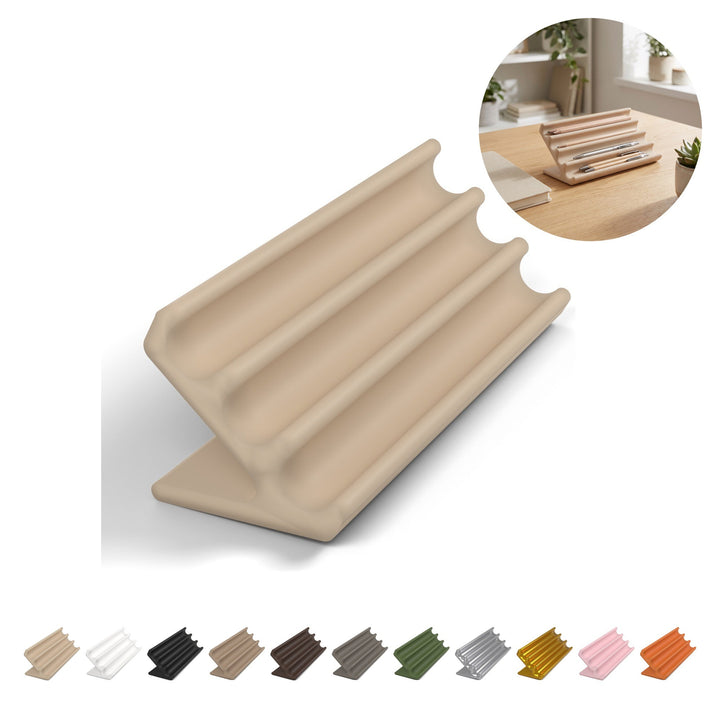
Pen Holder 5.5 cm, Angled Desk Pen Rest with 4 Grooves, PLA
Regular price 25,99 złRegular price -
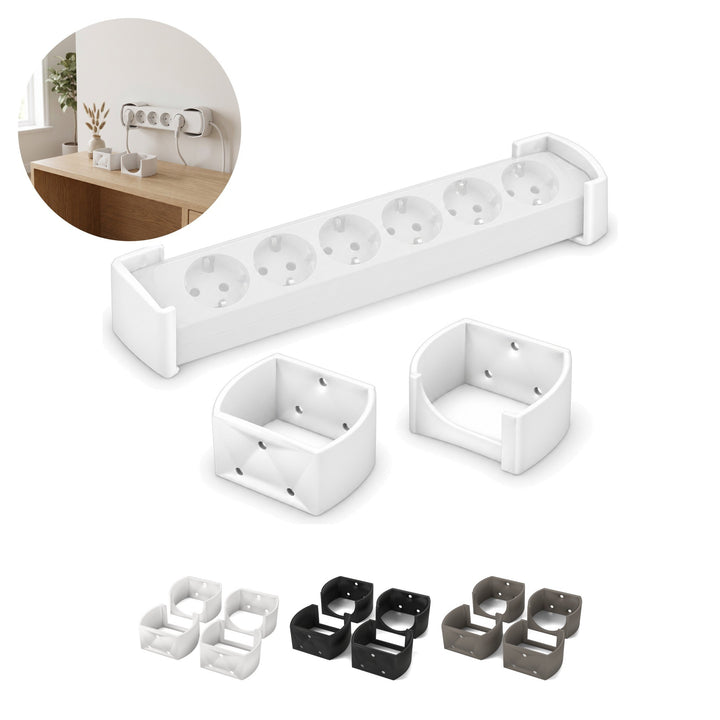
Power Strip Holder for EU Strips, 4 pcs for 2 Strips, 3 cm, PLA
Regular price 23,99 złRegular price






Read next
Toilet Roll Holder with No Drilling: Stick It On, Tape Included
A toilet roll holder you stick on with the tape in the box: no drilling, 12 × 7.5 cm, 23 g. How to mount it, what it fits and what it is...
Read →Desk Cup Holder: A Foldable Mug Holder That Hides Under the Desk
A desk cup holder that mounts under the edge of your desk: an 85 mm opening for mugs with a handle, folds flat when not in use. How to fit it and...
Read →Jewellery Box with Compartments: Small Enough for a Drawer
A small jewellery box, 10 × 8.4 cm and 2.5 cm thick, with a hinged lid and three swap-in inserts. For a drawer, a bedside table or a travel bag.
Read →


