
Laptop Riser Feet: A Clip-On Pair That Tilts Your Keyboard
In short
- A pair of small clip-on feet that lift the back of a laptop with a slim base, so the keyboard tilts gently towards you.
- No tools, glue or screws: slide one foot onto each side near the hinge, take them off in seconds and pack them with the laptop.
- They are not a cooling pad and not a full stand. No fan, no extra screen height, just a different angle.
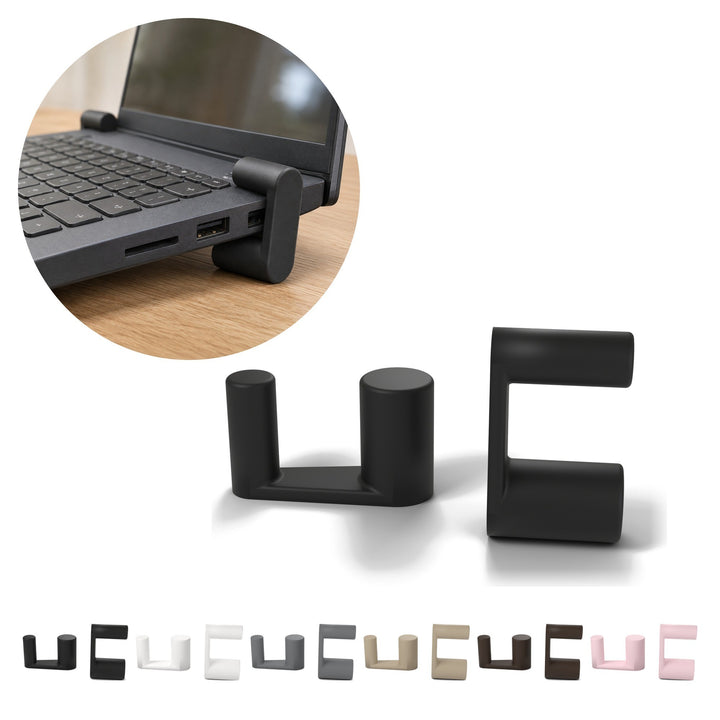
A laptop riser does not have to be a big piece of kit. Ours is a pair of small clip-on feet that lift the back of your laptop off the desk, so the keyboard tilts towards you and there is more room for air to move underneath. One foot measures 4.2 × 1.5 × 2.5 cm, and the pair weighs 13 g in total.
We print the clip-on laptop riser feet to order in Poland, in PLA. Below: how they work, what they fit, and when something else would serve you better.
Why lift the back of a laptop at all
Put straight on a desk, a laptop lies almost flat. Some people type happily like that; others prefer the keyboard tilted a little towards them. Lifting the back is the simplest way to get that angle.
We will not promise anything about your back or wrists. A good chair, a sensible desk height and regular breaks matter far more than any accessory. The feet do something modest: they change the angle of the keyboard and leave a gap under the rear of the laptop.
How our laptop riser feet work and how to fit them
Each foot is a single printed piece: two parallel rollers joined by a flat bar. The edge of the laptop base sits between the rollers. You slide the foot onto the side edge of the base near the hinge; the lower roller stands on the desk and the upper one rests on top of the base.
- Slide one foot onto the left side of the base, close to the rear edge.
- Slide the second foot onto the right side, in the same position.
- Line them up at the same height, so the laptop does not lean to one side.
No glue and no screws, so the feet come off again in seconds and travel in your bag with the laptop. The laptop is not included.

Size and fit: will they suit my laptop?
| Detail | What you get |
|---|---|
| One foot | 4.2 × 1.5 × 2.5 cm |
| In the offer | One pair: two identical feet, one for each side |
| Weight | 13 g for the pair |
| Made for | Laptops with a slim base |
| Fitting | By hand, no tools, glue or screws |
| Colours | Black, white, grey, beige, chocolate, pink |
The honest caveat: thicker machines may not fit between the rollers. If your laptop has a thick base, these feet are probably not for you. Both feet come in the colour of the variant you choose.
A pair of feet or a full stand?
We also print a foldable stand with an X-frame. The two are easy to confuse, but they solve different problems.
- The feet (this article): tiny, clipped to the laptop itself, they only lift the back and tilt the keyboard. Good for a small desk or a laptop you carry every day.
- The foldable stand: a full frame you open on the desk and fold flat again. It carries the whole laptop and puts the screen higher.
Ask yourself one thing: do you want to change the angle of the keyboard, or the height of the screen? The feet only do the first.
What the feet are not for
- Not a cooling pad. There is no fan and nothing to plug in. The feet only lift the back, which leaves more room for air under the laptop.
- Not a screen riser. They will not bring the display up to eye level.
- Not a shelf. Do not load them with more than the weight of the laptop.
About the material: PLA is a light, rigid plastic with visible layer lines, typical of 3D printing. It softens with heat, so keep the feet away from radiators, strong sunlight and the fan outlet. If your laptop blows warm air out near the hinge, check where the outlet is before you clip the feet on.

Laptop accessories for a calmer desk
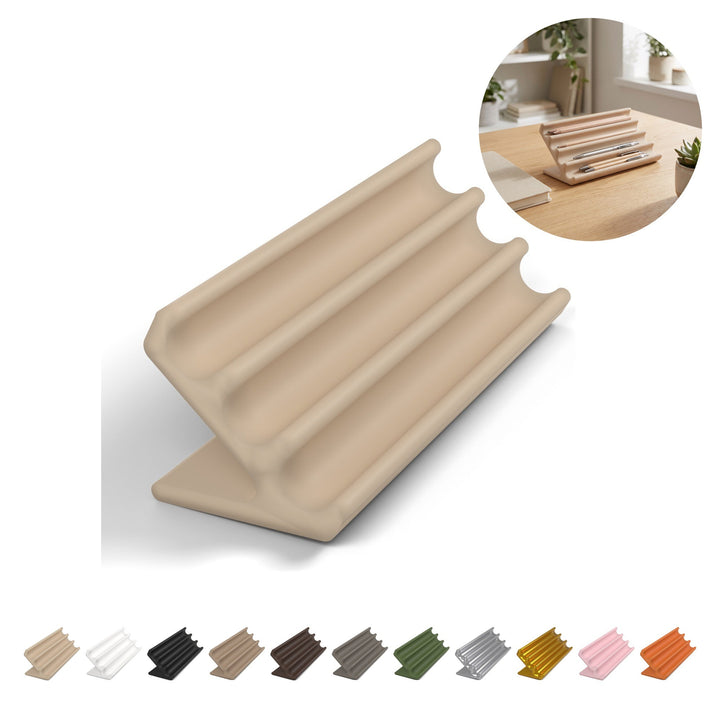
Small laptop accessories work best when each one does a single job. Next to the feet, we would put a phone stand with a wavy profile, 9.6 cm, and an angled pen rest, 5.5 cm, with 4 grooves. You will find more in our desk gadgets and practical home collections, and ideas for arranging the whole surface in our guide to desk decor.
About the designer
The feet are a design by Perry. We print them under Perry's commercial licence, without changing the design.
Licensed design by Perry — makerworld.com/@Peerry
Questions we often hear
Are laptop feet the same as a cooling pad?
No. These feet have no fan and need no power. They lift the back of the laptop, which leaves more room for air underneath, and that is all.
Will they fit my laptop?
They are made for laptops with a slim base, whose edge slides between the two rollers. Thicker machines may not fit.
Can I take them with me?
Yes. The pair weighs 13 g, comes off in seconds and travels in your bag with the laptop.
Products from this guide
-
Laptop riser, 2 pcs clip-on feet to lift the back, each 4.2 cm long, PLA
Regular price 30,99 złRegular price -
Phone Stand 9.6 cm, Wavy Profile PLA Desk Holder for Smartphone
Regular price 35,99 złRegular price -
Pen Holder 5.5 cm, Angled Desk Pen Rest with 4 Grooves, PLA
Regular price 25,99 złRegular price -
Headphone Stand 25 cm, Arch on Two Feet, PLA
Regular price 32,99 złRegular price -
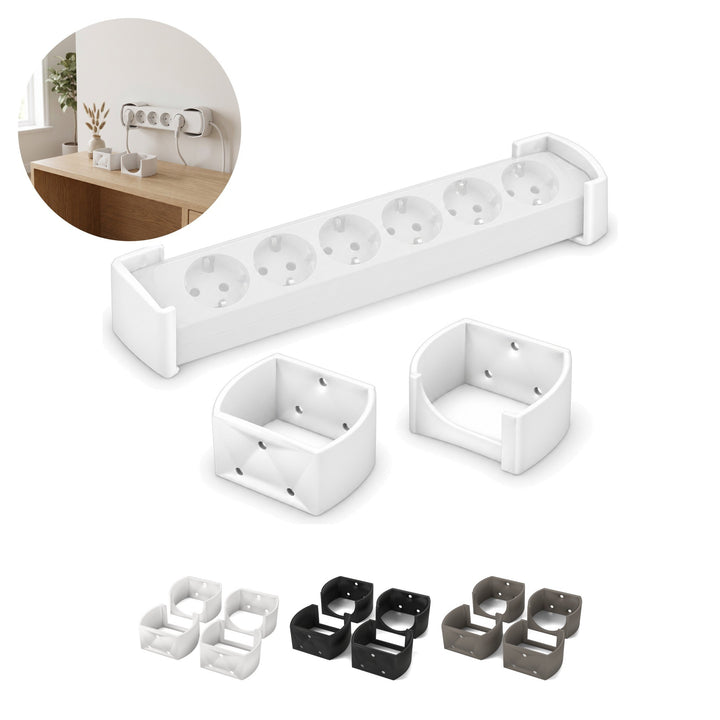
Power Strip Holder for EU Strips, 4 pcs for 2 Strips, 3 cm, PLA
Regular price 23,99 złRegular price






Read next
Toilet Roll Holder with No Drilling: Stick It On, Tape Included
A toilet roll holder you stick on with the tape in the box: no drilling, 12 × 7.5 cm, 23 g. How to mount it, what it fits and what it is...
Read →Desk Cup Holder: A Foldable Mug Holder That Hides Under the Desk
A desk cup holder that mounts under the edge of your desk: an 85 mm opening for mugs with a handle, folds flat when not in use. How to fit it and...
Read →Jewellery Box with Compartments: Small Enough for a Drawer
A small jewellery box, 10 × 8.4 cm and 2.5 cm thick, with a hinged lid and three swap-in inserts. For a drawer, a bedside table or a travel bag.
Read →


